

In the latest version of iREAP POS PRO, you can now perform stock adjustments (increase or decrease stock) directly through the Master Product Data menu. This feature is designed to simplify stock corrections without the need to manually access the Goods Receipt or Goods Issue menus.
With this feature, users can perform quick stock opname or minor stock adjustments directly from the product page. This functionality is especially useful in the following situations:
Correcting stock due to data entry errors
Daily stock adjustments
Damaged or missing items
Stock discrepancies found during physical stock checks
This feature helps streamline operations and makes inventory management more practical, efficient, and easily accessible for users.
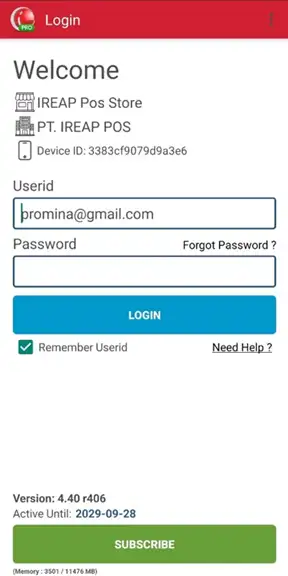
Open the iREAP POS PRO application on your device and log in to your account.
Select the Master Data > Manage Product menu

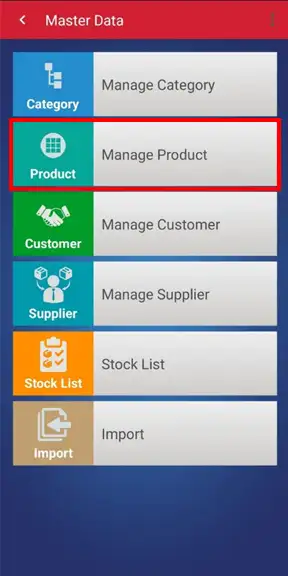
Select the product item you want to adjust.

Scroll down to the bottom of the product detail page, then click the Adjust Stock button. 
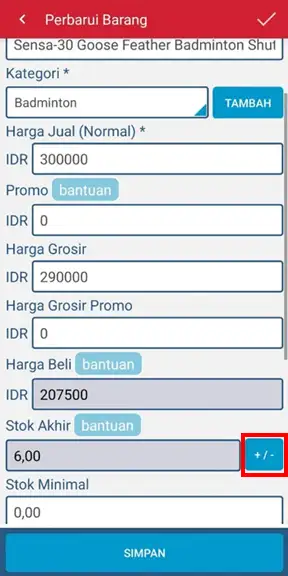
On this page, you can adjust the stock quantity. Once the adjustments are complete, click the Save button.
NOTE:
Adjustments can be made to either add or reduce stock. For additional stock, the purchase price can be entered according to the purchase price.
EXAMPLE OF STOCK ADDITION
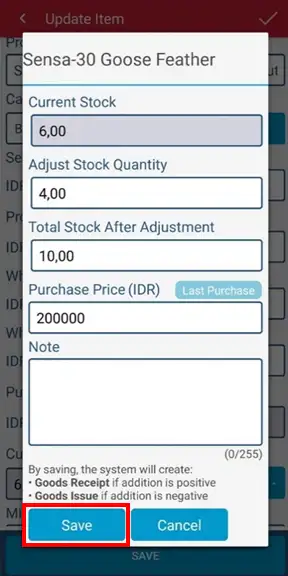
STOCK REDUCTION EXAMPLE
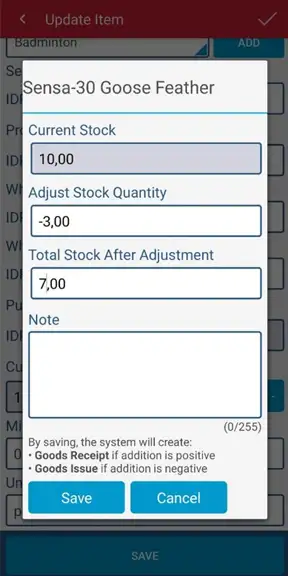
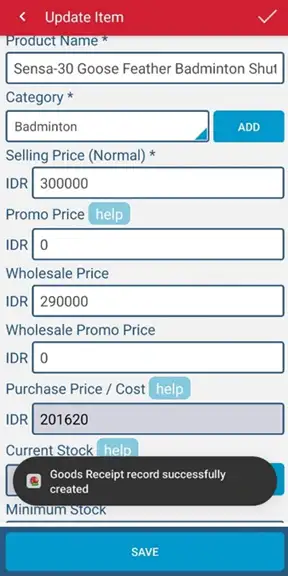
Stock adjustments are successfully made >> then click the Save Back button to save the changes
iREAP POS : iREAP stand for Integrated Retail Application, is an application designed and developed to help you managed and run store operation, consists of Point of Sale / Cashier system and inventory control system.
